The app
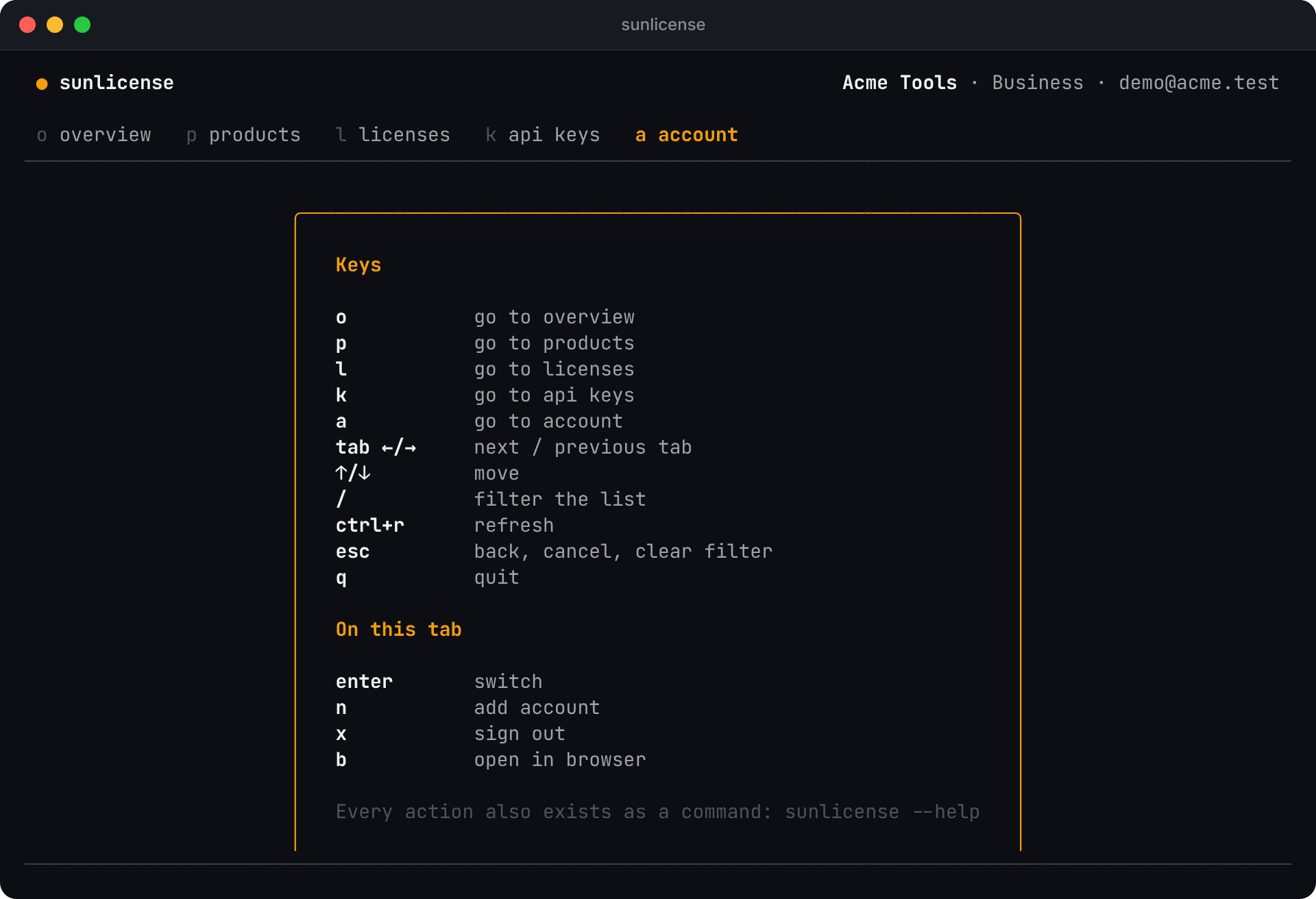
Run sunlicense with no arguments. You get five tabs, each one key away, and the keys you can press right now are always listed at the bottom.
| Key | |
|---|---|
o p l k a | Overview, Products, Licenses, API keys, Account |
tab / shift+tab, ← → | Next / previous tab |
↑ ↓ · enter · esc | Move · open · back (or cancel, or clear a filter) |
/ | Filter the list as you type |
ctrl+r | Refresh |
? | Every key, for the tab you're on |
q · ctrl+c | Quit |
Anything you can't undo asks first. Actions your role doesn't allow aren't offered, and if someone changes your role, the app tells you in plain words instead of failing.
Overview
Your organization at a glance: products, active licenses, active machines and today's checks, the health of every SunLicense service, and the licenses issued most recently. Quick actions sit on the left: press i to issue a license from anywhere on this tab, or b to open the web dashboard.
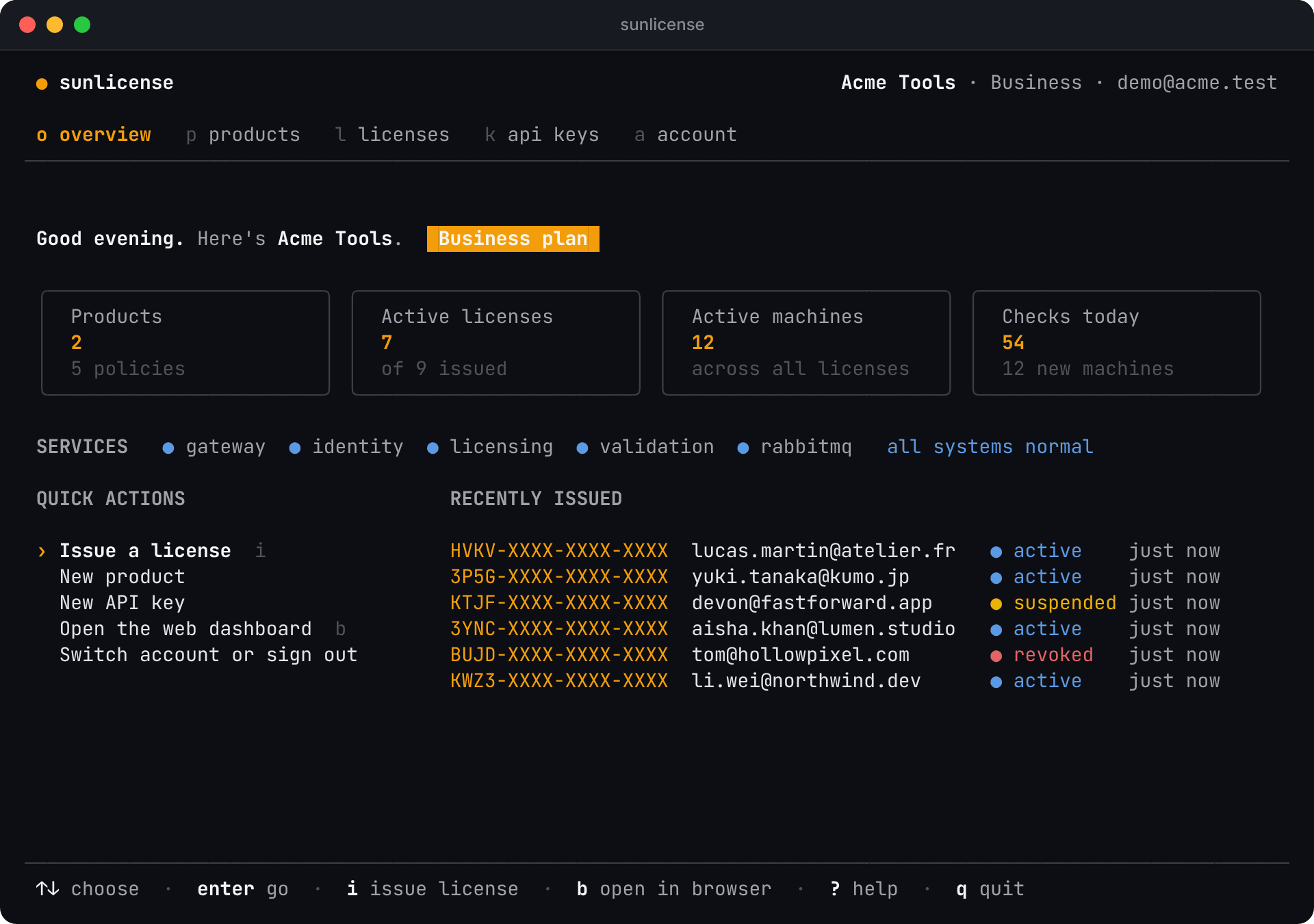
On a narrow terminal the four tiles become one line of numbers.
Licenses
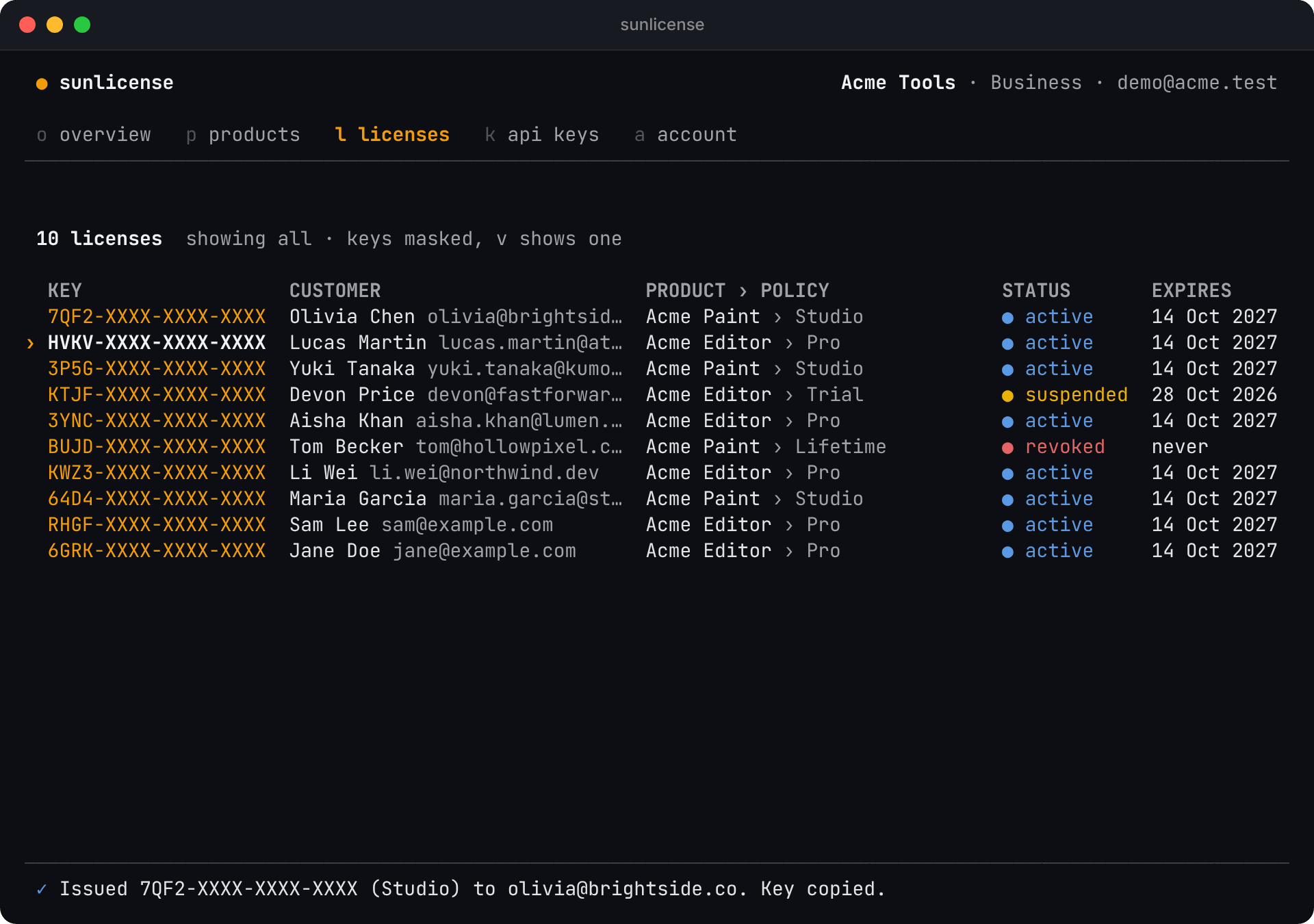
Every license, newest first. Keys are masked (7QF2-XXXX-XXXX-XXXX), like in the dashboard.
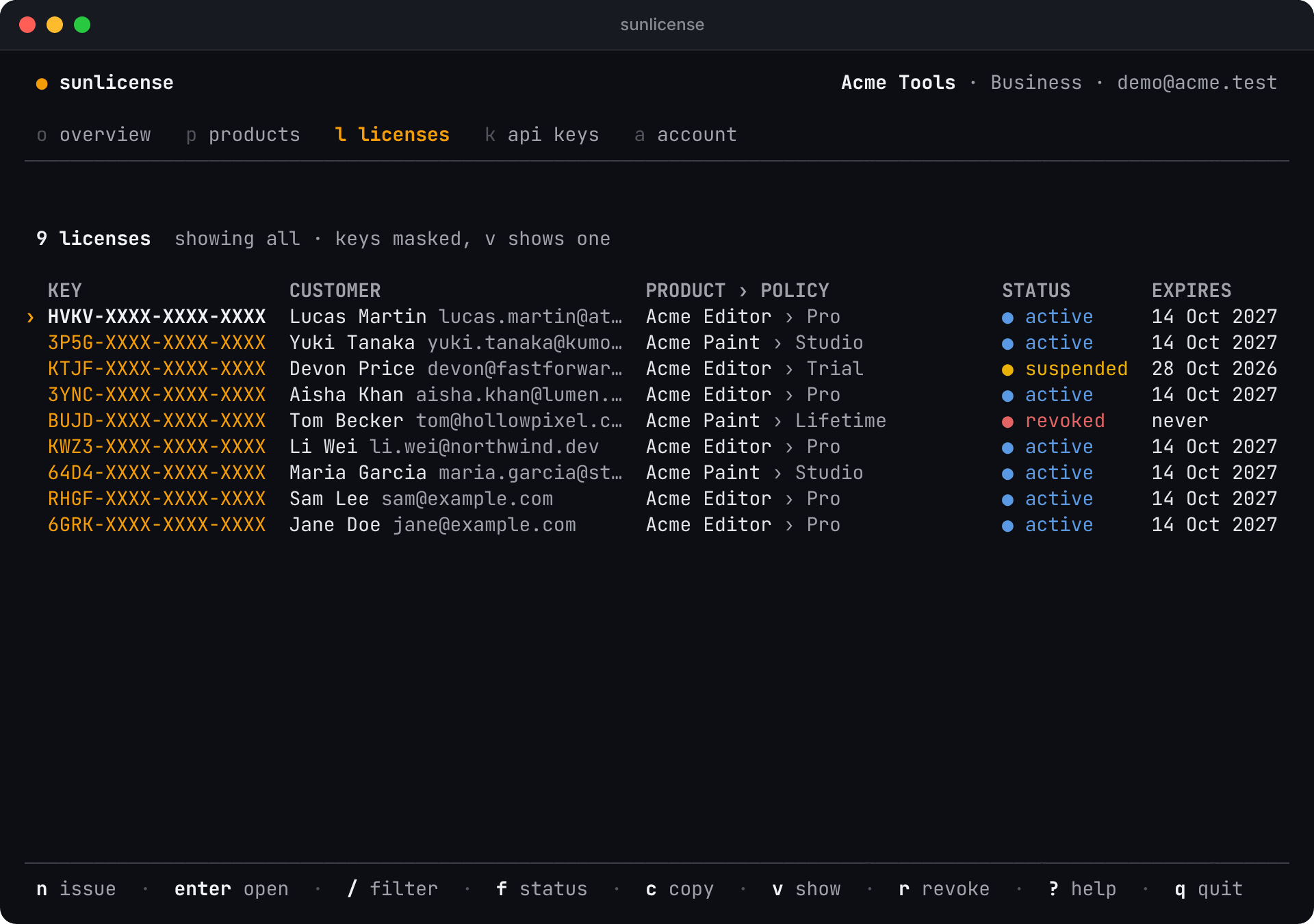
| Key | |
|---|---|
n | Issue a license |
enter | Open the selected license |
/ | Filter by key, customer, product or policy |
f | Show all, active, suspended or revoked |
c | Copy the selected key (the real one) |
v | Show or hide the selected key |
r | Revoke (asks first) |
s | Suspend, or reinstate a suspended license (suspending asks first) |
d | Save the signed offline license file (license-7QF2.lic) in the current folder |
A license
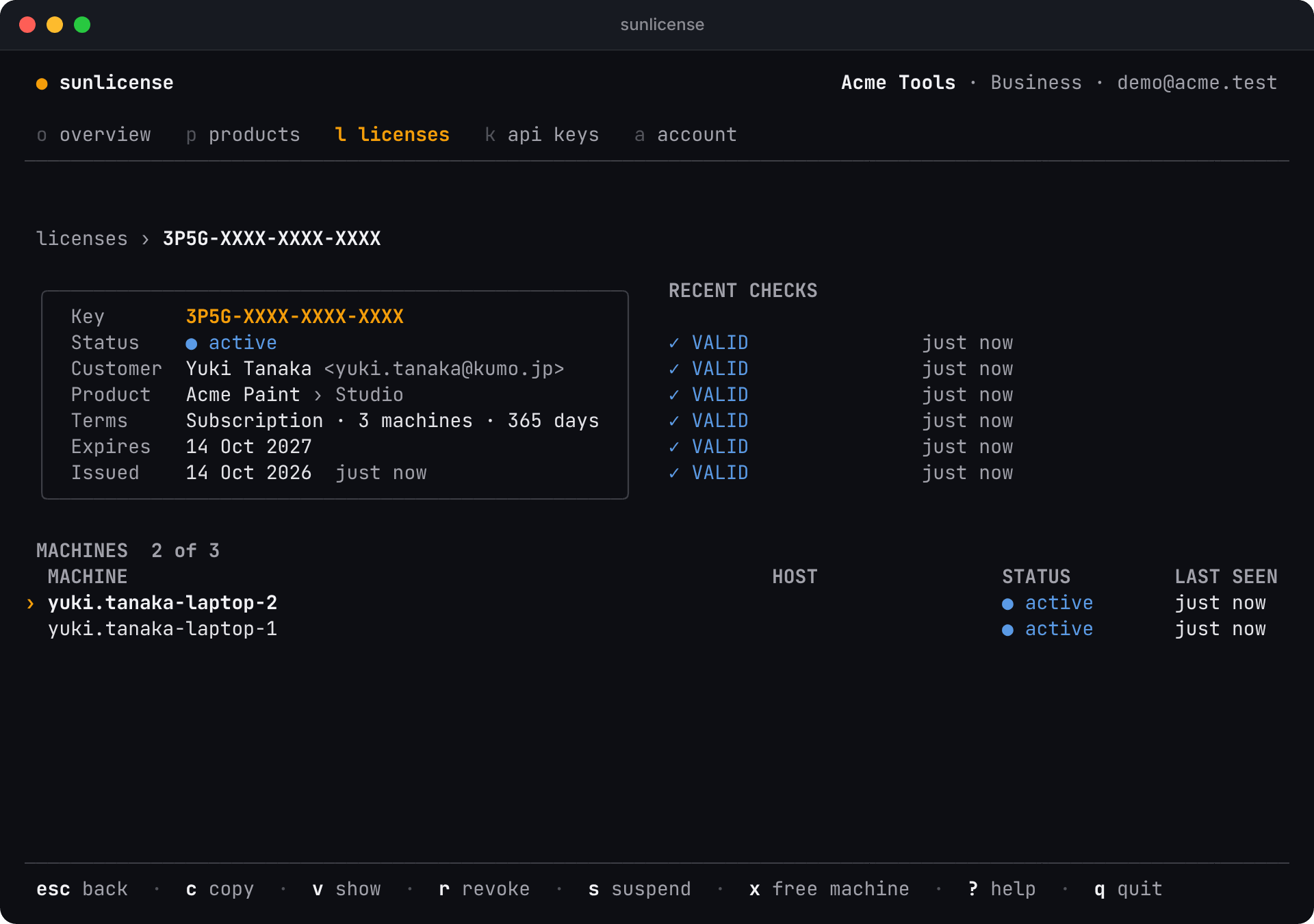
enter opens one: its terms, the machines it's active on, and its most recent checks. x frees the selected machine's slot; esc goes back. c, v, r, s and d work here too.
Issue a license
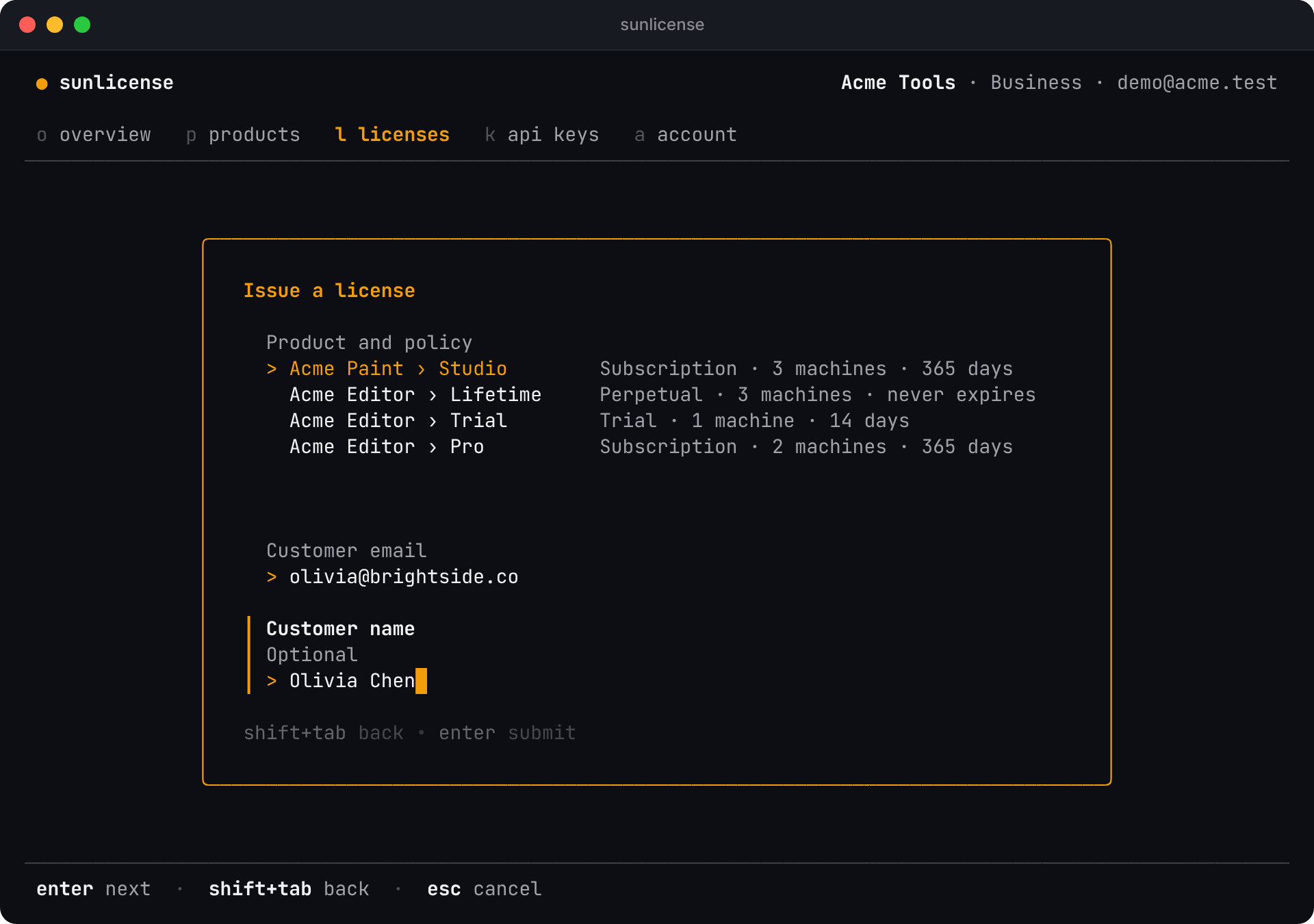
n (or i on the Overview) asks for the product and policy, the customer's email and, optionally, their name. enter moves to the next field, shift+tab goes back, esc cancels.
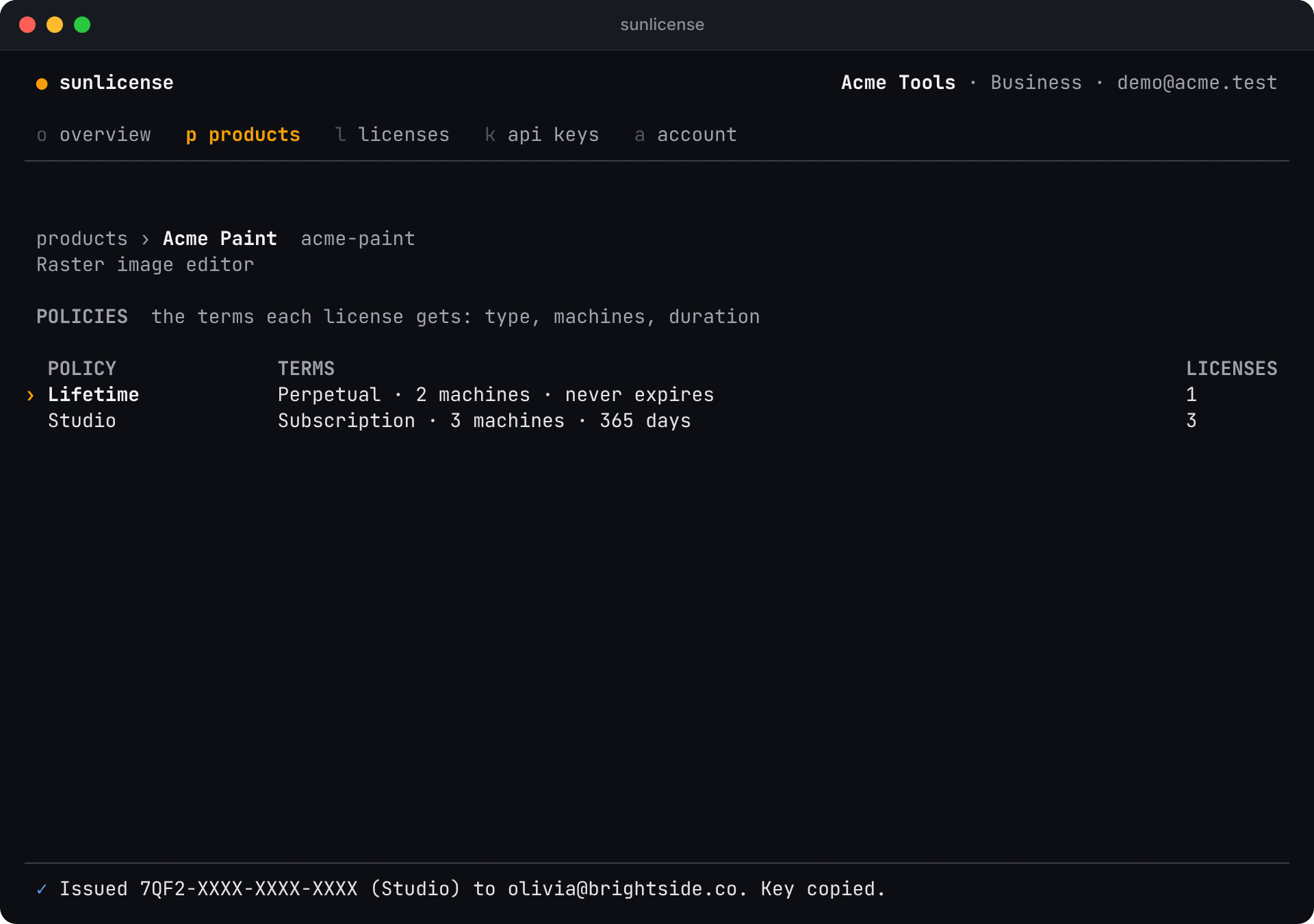
The new license appears at the top, and its key is already on your clipboard:
Revoke or suspend
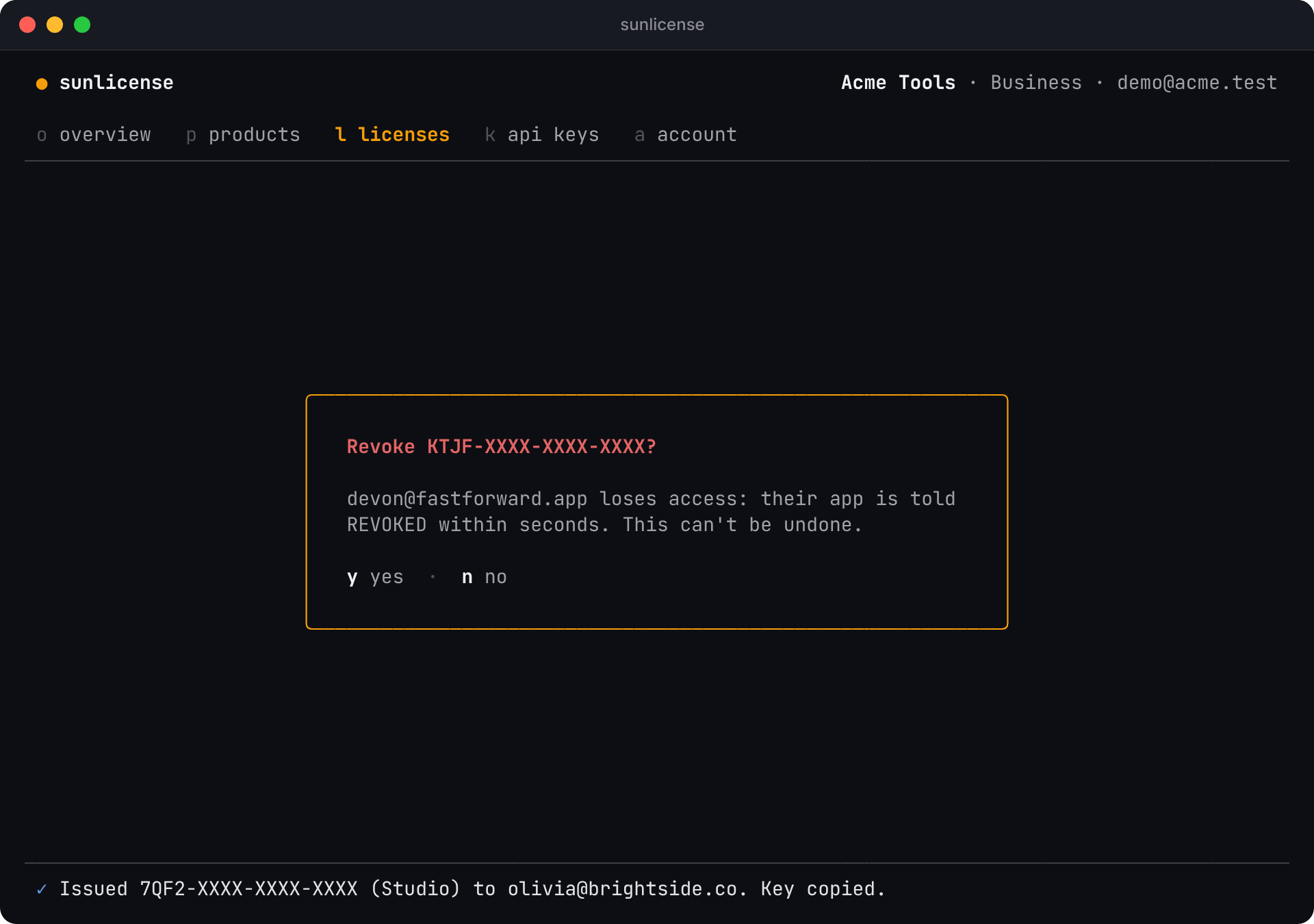
Revoking is permanent: the customer's app is told REVOKED within seconds. Suspending is reversible (s again reinstates). Both ask first; y confirms, n or esc cancels.
Products
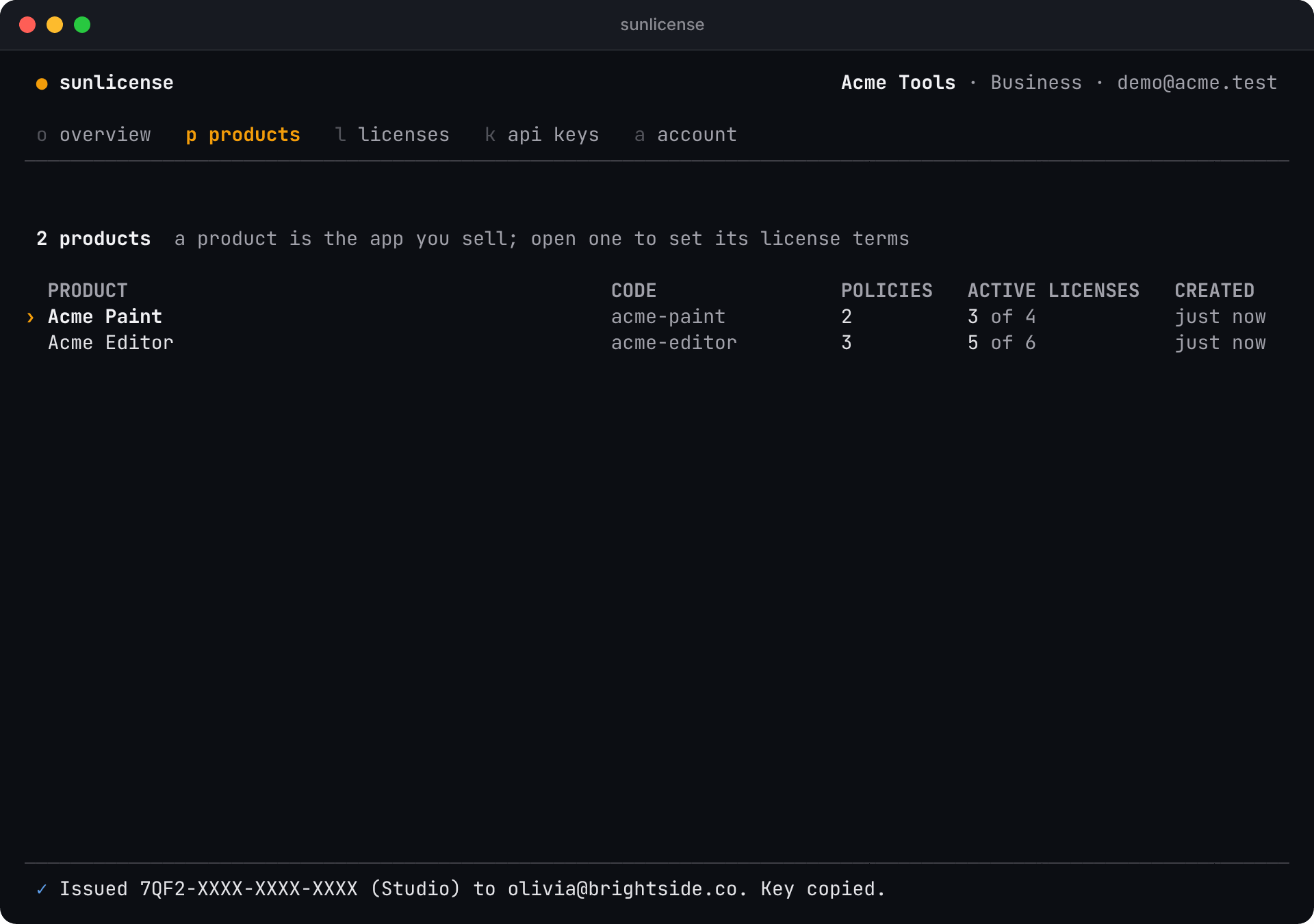
Your products, with how many policies and active licenses each has. n creates a product; enter opens one.
Inside a product you see its policies: the terms every license issued under them gets (type, machines per license, duration). n adds a policy; i (or enter) issues a license with the selected one.
API keys
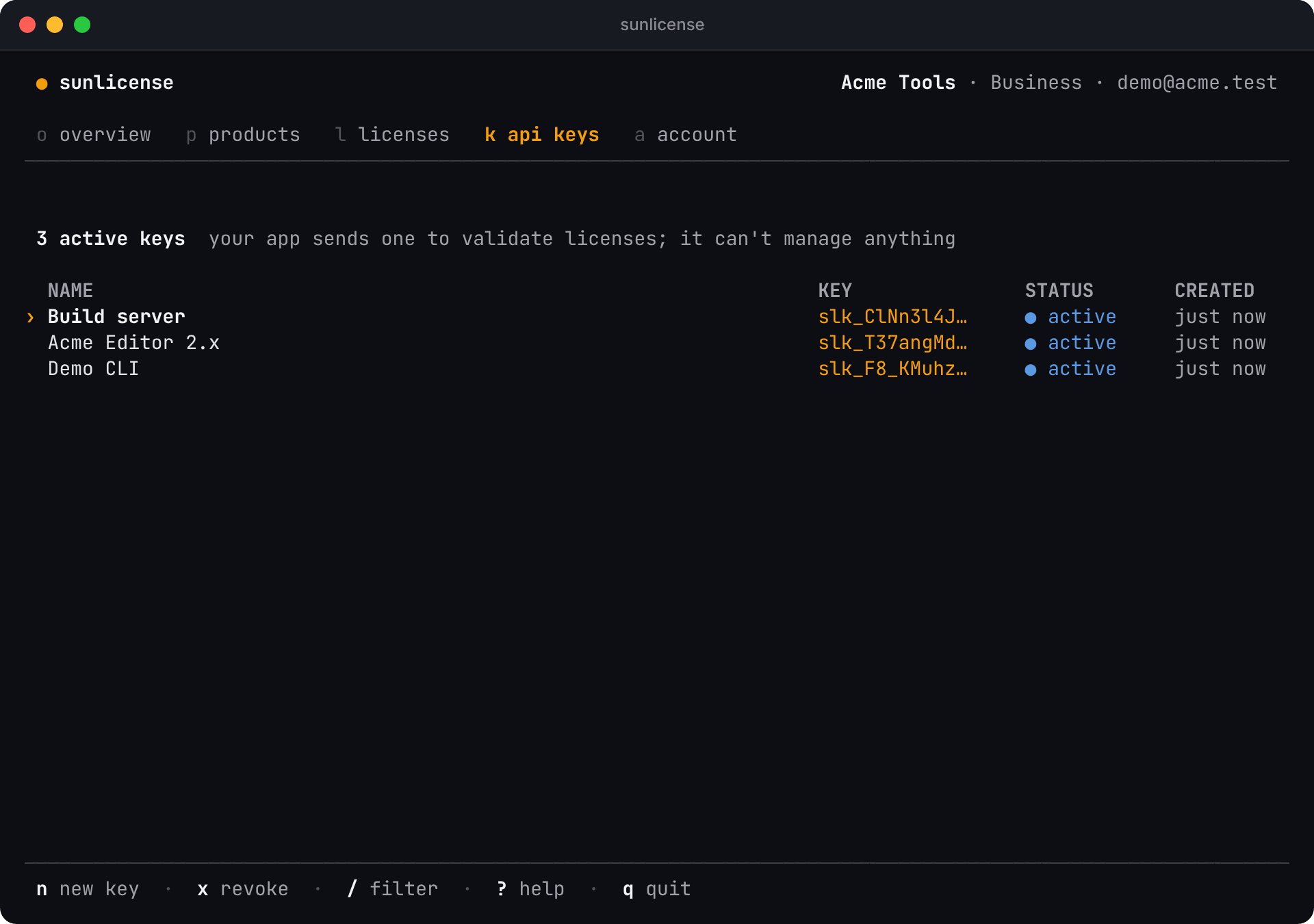
The keys your app sends to validate licenses. n creates one and shows it once, with c to copy it; SunLicense keeps only a hash. x revokes the selected key, and apps using it stop validating right away. An API key can only validate licenses, never manage them.
Account
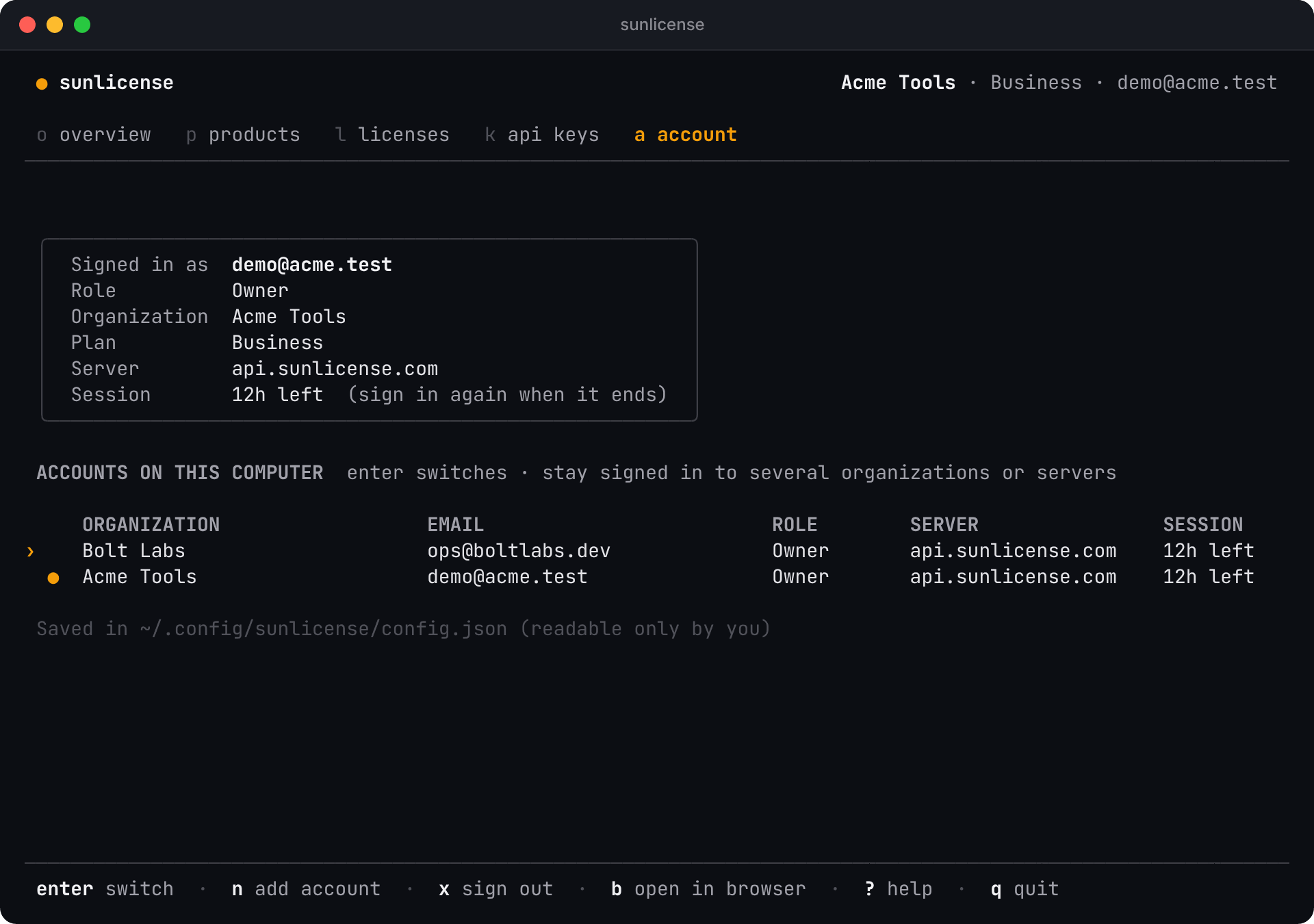
Who you're signed in as, and every account saved on this computer. enter switches to the selected account, n signs in to another one (or creates an organization), x signs out of the selected account, and b opens the web dashboard.
Help
? lists every key, with the ones for the tab you're on.