
Commands and scripting
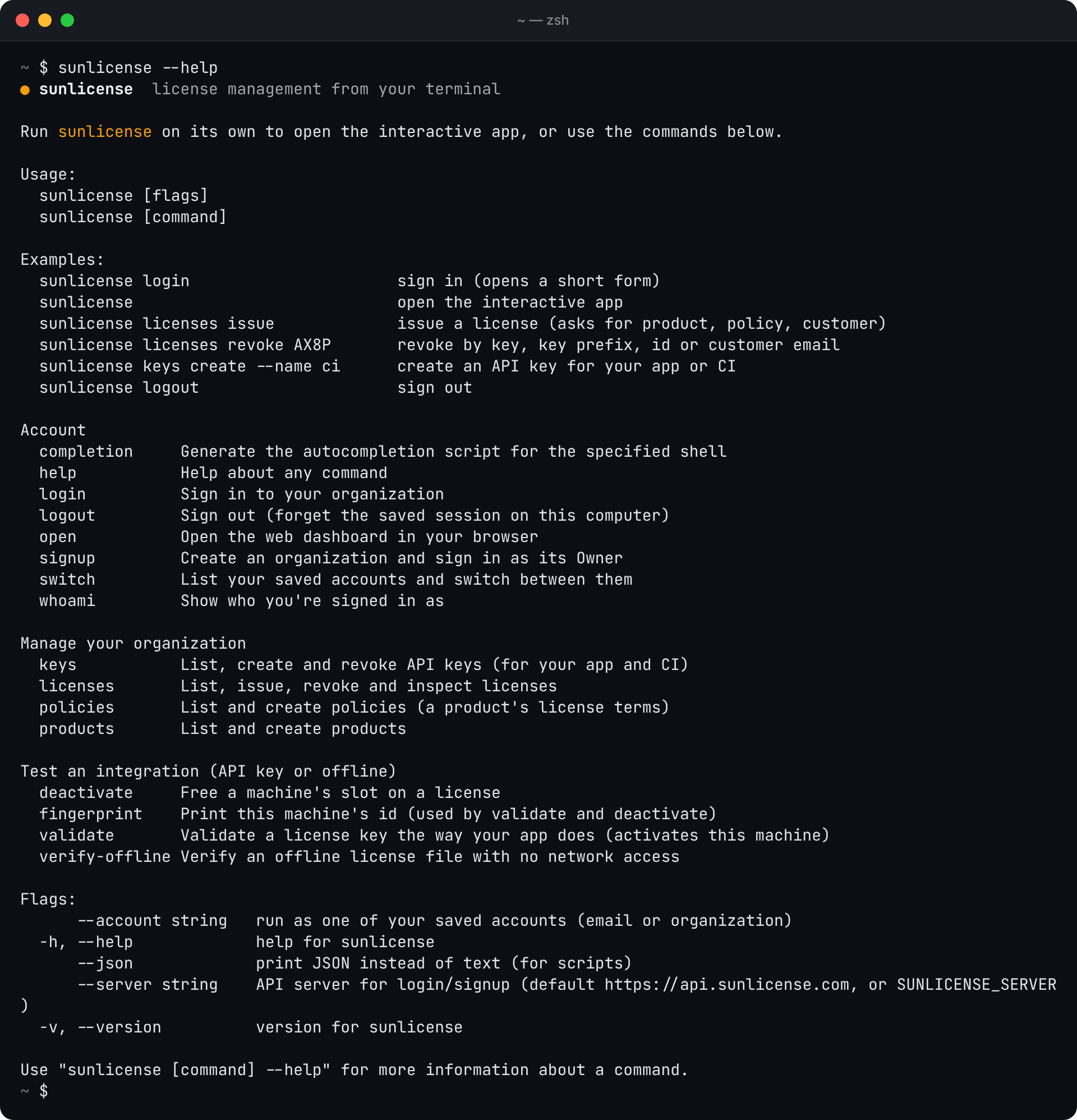
Everything the app does is also a command. In a terminal, a command that's missing something asks for it (a policy to pick, a customer's email); in a script it never prompts, and says which flag is missing instead.
Naming a license
Anywhere a license is expected, give whichever you have:
| You type | Matches |
|---|---|
7QF2-EDRF-CJ78-RBRT | The full key |
7QF2 | A license whose key starts with this (if only one does) |
[email protected] | The customer's email (if they have one license) |
1dac7798-d6db-… | The license id |
With nothing, in a terminal, you get a list to pick from.
Licenses
sunlicense licenses                              # all, newest first; keys masked
sunlicense licenses --status active -s acme      # filter by status and text
sunlicense licenses --product "Acme Paint" --reveal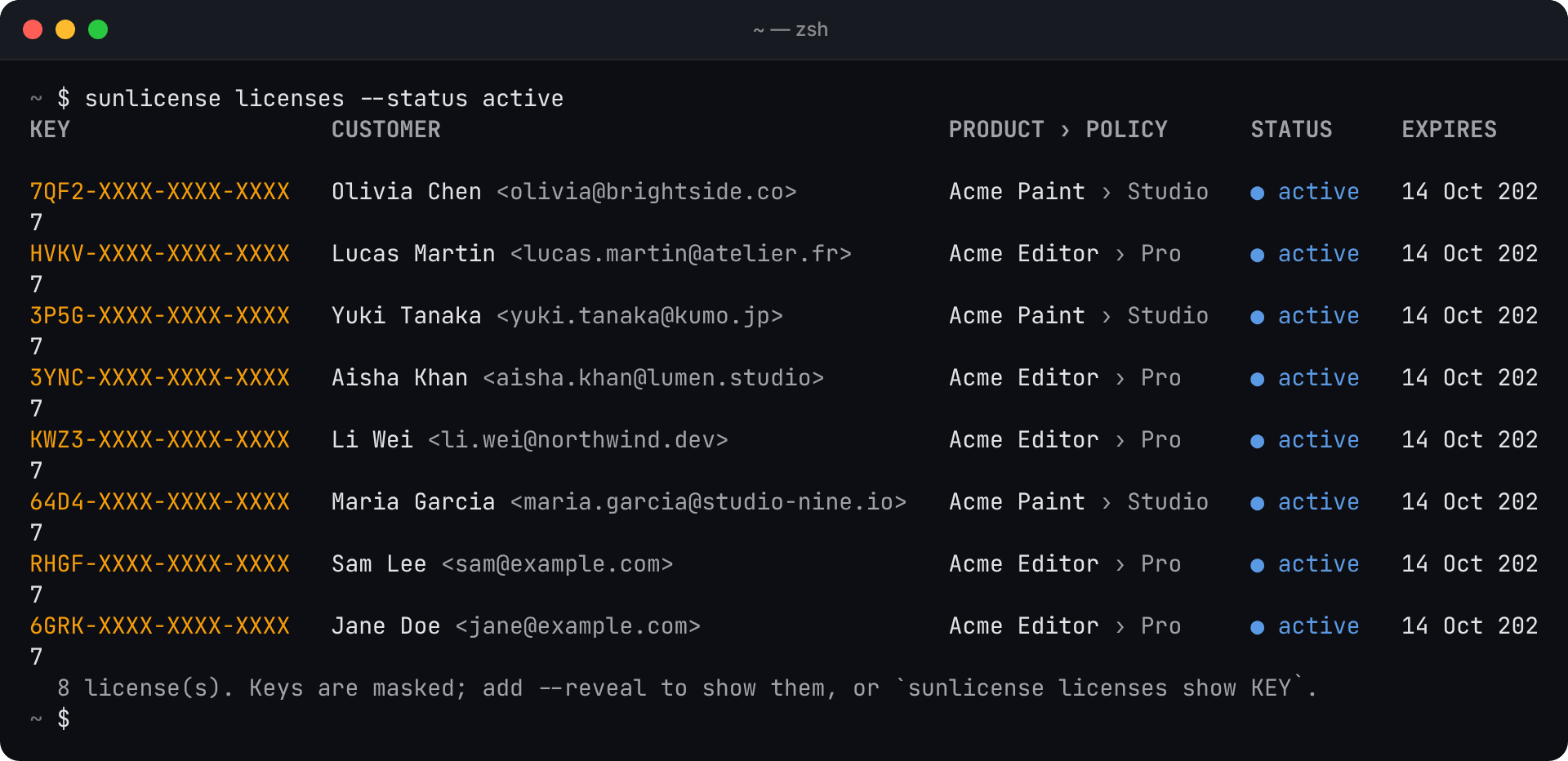
sunlicense licenses show [email protected]     # details, machines and recent checks
sunlicense licenses issue                        # asks for policy and customer; copies the key
sunlicense licenses issue --policy Studio --product "Acme Paint" --email [email protected] --name "Olivia Chen"
sunlicense licenses revoke 7QF2                  # asks first; --yes to skip
sunlicense licenses suspend 7QF2 --yes
sunlicense licenses reinstate 7QF2
sunlicense licenses download 7QF2 -o olivia.lic  # signed offline file (- for stdout)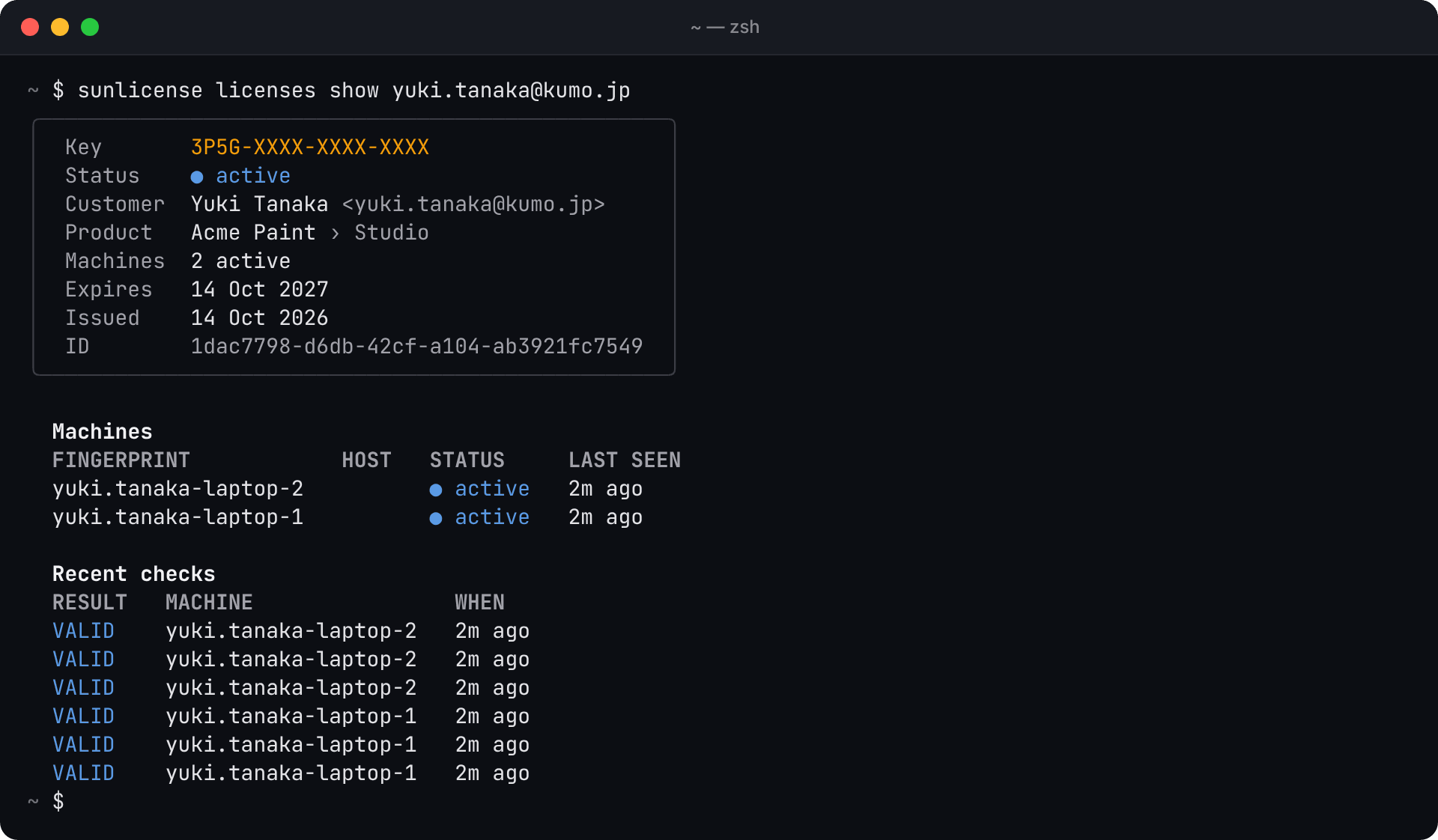
Products and policies
sunlicense products
sunlicense products create "Acme Paint" --description "Raster image editor"
sunlicense policies --product "Acme Paint"
sunlicense policies create --product "Acme Paint" --name Studio --type subscription --machines 3 --days 365
sunlicense policies create --product "Acme Paint" --name Lifetime --type perpetual --machines 0   # 0 = unlimited
A product is the app you sell; a policy is the terms its licenses get. Policies can be named the same in different products, so add --product when a name repeats.
API keys
sunlicense keys
sunlicense keys create --name "Acme Editor 2.x"   # shown once
sunlicense keys revoke "Acme Editor 2.x" --yes    # by name, prefix or id
Account
| Command | |
|---|---|
sunlicense login [--email E] [--local | --server URL] | Sign in (details) |
sunlicense signup | Create an organization and sign in as its Owner |
sunlicense whoami | Organization, role, plan, server, session time left |
sunlicense switch [account] | List saved accounts, or switch to one |
sunlicense logout [account] [--all] | Sign out |
sunlicense open | Open the web dashboard |
Scripts and CI
Add --json to any command for machine-readable output. It's the API's data as-is, so license keys are not masked in JSON.
KEY=$(sunlicense licenses issue --policy Pro --product "Acme Editor" \
        --email [email protected] --json | jq -r .key)
sunlicense licenses revoke "$KEY" --yes
sunlicense licenses --status active --json | jq length
To sign in without a prompt:
echo "$SUNLICENSE_PASSWORD" | sunlicense login --email [email protected] --password-stdinor pass an existing session token in SUNLICENSE_TOKEN (with SUNLICENSE_SERVER for a server other than production); nothing is written to disk then. Use a member with the smallest role that can do the job.
Test an integration
These use an API key, exactly like your app, not your session:
export SUNLICENSE_API_KEY=slk_...
sunlicense validate --key 7QF2-EDRF-CJ78-RBRT                       # ✓ VALID, and activates this machine
sunlicense validate --key 7QF2-EDRF-CJ78-RBRT --fingerprint machine-b
sunlicense deactivate --key 7QF2-EDRF-CJ78-RBRT                     # free this machine's slot
sunlicense verify-offline --file license-7QF2.lic                    # no network; uses your org's key when signed in
sunlicense verify-offline --file license-7QF2.lic --public-key public-key.txt
sunlicense fingerprint                                              # this machine's id
The fingerprint is the CLI's own machine id. Each SDK computes its own, so pass --fingerprint to act on a machine your app registered.
Exit codes
| Code | Meaning |
|---|---|
0 | Done (for validate and verify-offline: valid) |
1 | Failed, or the license is not valid |
2 | validate / deactivate could not reach SunLicense (your app should fall back to its offline license) |
130 | You cancelled a prompt |
Environment variables
| Variable | |
|---|---|
SUNLICENSE_SERVER | API server for login and signup (default https://api.sunlicense.com) |
SUNLICENSE_TOKEN | Use this session token instead of a saved account |
SUNLICENSE_CONFIG | Where sessions are saved |
SUNLICENSE_API_KEY | API key for validate and deactivate |
SUNLICENSE_PUBLIC_KEY | Public key for verify-offline |
NO_COLOR | Plain output, no colours |