
SunLicense AI
SunLicense AI answers questions about SunLicense and about your organization's own data, and makes changes for you when you ask, always after you press Confirm. It's included in the Lite and Standard plans.
Ask from the search bar
Press ⌘K (Ctrl K on Windows and Linux) or click the search bar at the top of any page, type your question, and press Tab: Ask AI is always the last row. The answer appears right under the input as it's written, with what it looked at ("List licenses") and links to the pages and docs it used. Ask a follow-up in the same place, or press Continue in chat to go on in the AI page. The help button's Ask AI opens the bar ready for a question.
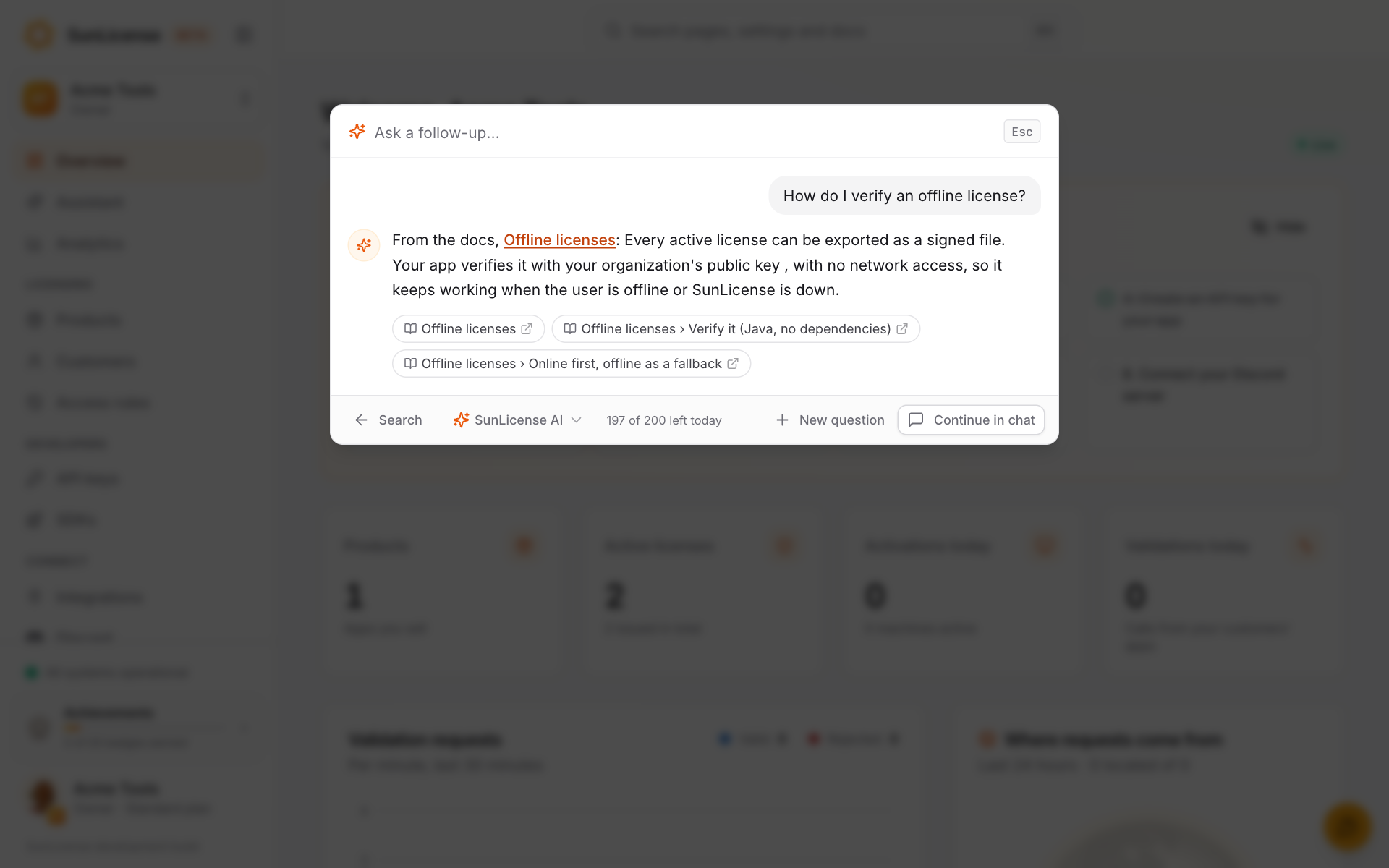
Esc stops showing an answer while it's being written; it still finishes and is saved in your history.
The AI page and your history
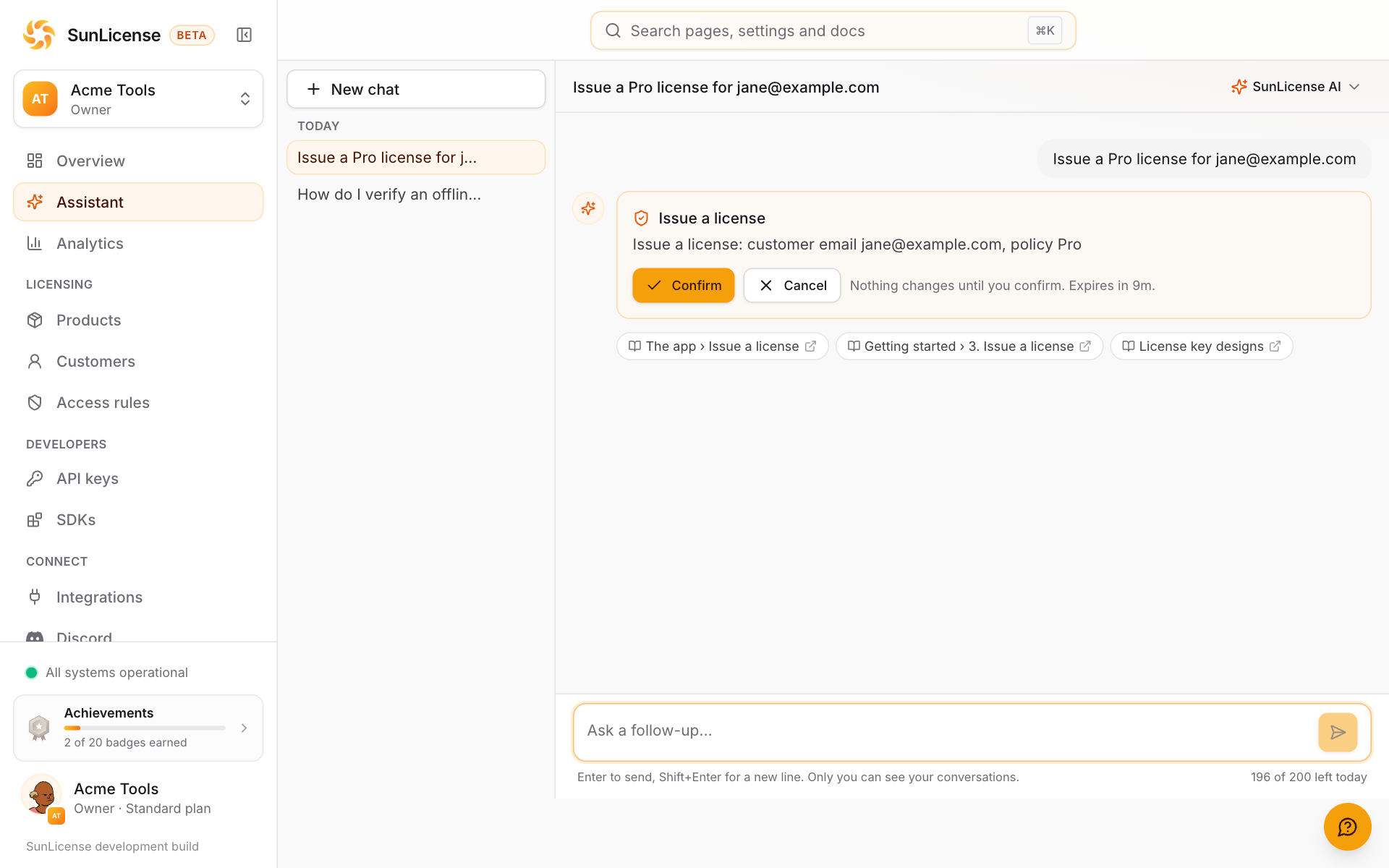
Assistant in the sidebar opens the AI page: your conversations on the left (Today, This week, Older), the chat in the middle, and the model switcher at the top right. Start a New chat, rename a conversation or delete it. On a phone, your conversations are behind the history button.
What you can ask
- "Why are checks failing in Brazil?" It reads your validation stats and access rules and explains, with links to the pages it used.
- "How many active licenses does Acme Editor have?"
- "Issue a Pro license for [email protected]", "revoke the license 4AQ5…", "block 203.0.113.0/24". It shows a card with exactly what will happen and does nothing until you press Confirm. A card you don't confirm within 10 minutes expires.
- "How do I verify an offline license?" It answers from these docs and links the section.
It can do what you can do, nothing more
SunLicense AI uses the same tools as the sunlicense mcp server, and every tool call goes through SunLicense as you: your role and your plan decide what it can see and change, exactly as in the dashboard. A Viewer's assistant can read but never change anything.
- Changes always wait for you. Issuing, revoking, suspending, creating, editing, blocking, merging and deleting happen only after you confirm the card, one change at a time.
- License keys stay masked (
AX8P-XXXX-XXXX-XXXX) in every answer. It can't reveal a key, show an offline license file or create an API key; do those in the dashboard. - Your customers can't steer it. Names, notes and machine names your customers wrote are treated as data, never as instructions.
Limits
| Free | Lite | Standard | |
|---|---|---|---|
| SunLicense AI messages / day | 50 | 200 |
A message is one question and everything it takes to answer it, however many lookups. Confirming a change continues the same message and isn't counted again. The count starts again at 00:00 UTC; Billing shows today's use. AI tool calls don't count toward the MCP server's daily calls.
SunLicense AI also has a monthly budget across all organizations. If it is ever used up, SunLicense AI pauses until the 1st of next month (UTC); everything else keeps working, and so do models on your own key.
Use your own key
On Lite and Standard, an owner or admin can add your organization's own Anthropic (Claude) or Google (Gemini) API key under Settings → AI. Everyone in the organization can then pick its models in the model switcher (in the search bar's answer and at the top of the AI page):
| Provider | Models |
|---|---|
| Anthropic | Claude Sonnet 5.5, Claude Haiku 5.5 |
| Gemini 3.8 Flash, Gemini 3.5 Flash-Lite |
- It doesn't use your daily messages. Messages on your own key don't count toward the plan's SunLicense AI messages and keep working when SunLicense AI is paused. To protect the service, an organization can send up to 1,000 of them a day.
- Same rules. The same tools, the same Confirm before every change, the same masked keys, the same permissions.
- Checked, then stored encrypted. We check a new key with its provider before saving it, store it encrypted, and only ever show its start and last four characters (
sk-ant-…a1b2). One key per provider; replace or remove it any time (removing it here doesn't revoke it at the provider). - If something's wrong with it, the answer says so in a sentence: out of credit, rate limited, or refused. A key the provider refuses (for example, revoked) is marked on Settings → AI and its models are switched off until someone replaces it.
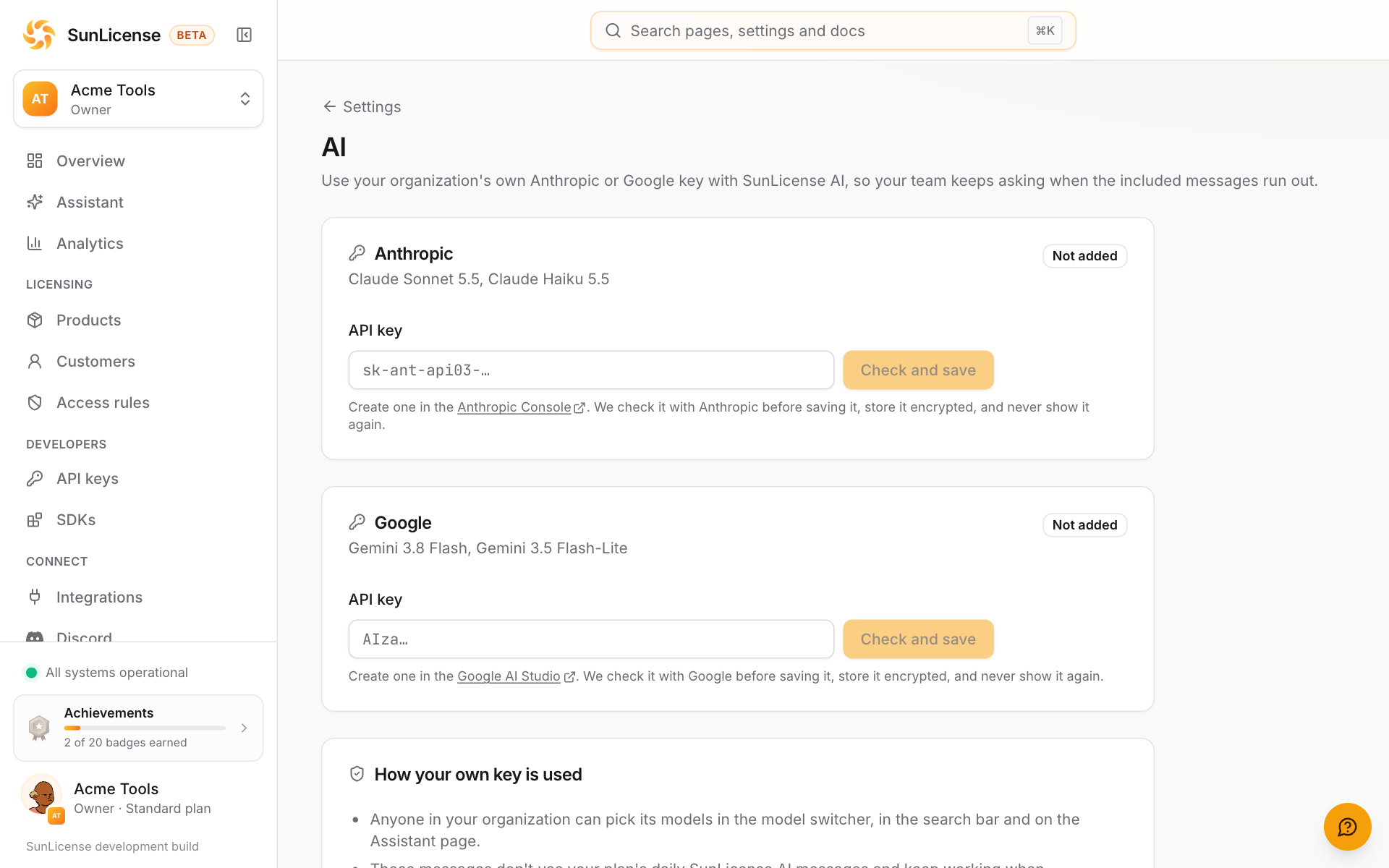
Create a key in the Anthropic Console or Google AI Studio. Your provider bills you for these messages; set a spending limit there if you want one.
Your data
- What goes to the model. SunLicense AI runs on Google's Gemini API (a paid account, under terms that don't let Google use it to improve its products). Google receives your question, the dashboard page you asked from, matching docs sections, and what the tools return for that question, which can include your customers' names and emails (keys are always masked). Google is listed on our Subprocessors page.
- With your own key, the same information goes to your Anthropic or Google account instead, under your agreement with them. They aren't our subprocessors for those messages: you chose them and you pay them.
- Conversations are yours. Only you can see your conversations in the dashboard; your teammates can't. They're kept until you delete them, and deleted when you leave the organization or it is deleted.
- Not in logs or analytics. Questions and answers never go to our error tracking or usage analytics, and our service logs record only ids and token counts.